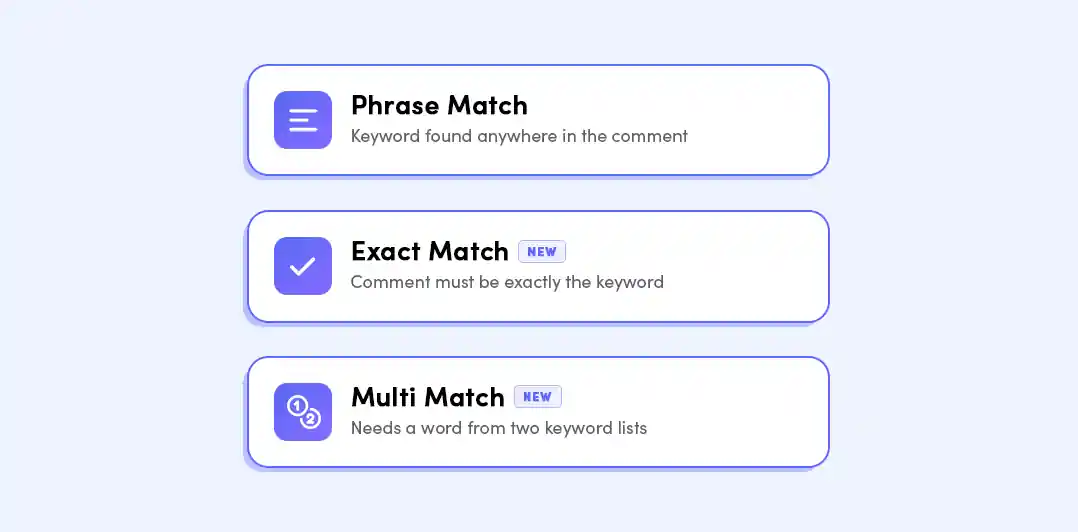
You can now choose how LinkDM matches keywords in comments before sending a DM.
When setting up your Trigger Type, you’ll see a new Match Type option directly below it.
The default option. Sends a DM when your keyword appears anywhere in the comment.
Example: send me the recipe
Only sends a DM when the comment matches your keyword exactly.
Example: recipe
You can also allow extra text, punctuation, and emojis if needed.
Lets you create two keyword lists. The comment must include at least one word from each list.
Example:
List 1: send, get, want
List 2: recipe, cookbook
This helps catch comments like send recipe or I want the cookbook, while avoiding weaker matches.
Match Types help you reduce accidental triggers and make sure your DMs are only sent when the comment matches the intent you want.
You can start using Match Types when creating or editing your LinkDM automations.
View support article for more technical details.
Join thousands of creators & get started with your free LinkDM account today!