July 3, 2024
|
Feature Update

Feature Update: Universal Story Automation

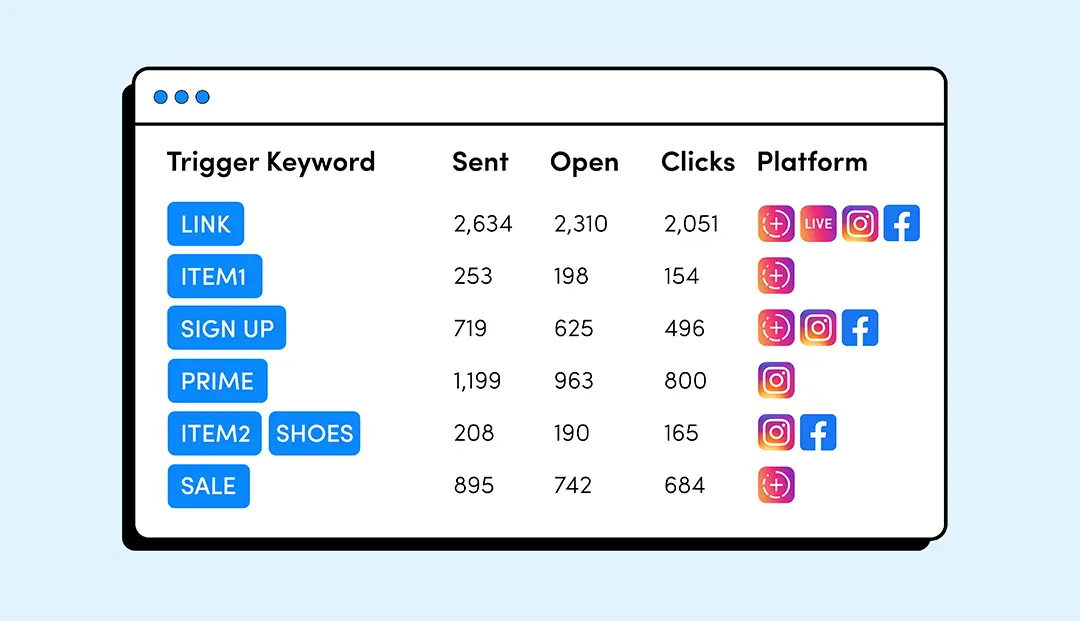
LinkDM has now added support for Story Automations in Universal Triggers, enhancing your Instagram Story interactions with automated DM responses triggered by specific actions on your stories.

Key Benefits

  • Automatically respond to viewers’ actions on your Instagram Stories.
  • Set up trigger keywords in advance to automate DMs, saving you time.
  • Make your stories more interactive with automated responses.

How to Setup Universal Story Automations

  1. Create a Trigger: Go to Universal Auto-Reply, create a trigger, and compose your message.
  2. Set a Keyword: Enter a unique keyword in the trigger sub-menu.
  3. Select Platform: Choose ‘Instagram Stories’ under the Platform sub-menu.

Frequently Asked Questions

How do I set up Story Automations in LinkDM?

Setup a universal trigger, compose your DM, set a unique keyword in the Universal Auto-Reply section, and select ‘Instagram Stories’ under Platform.

Can I use the same keyword trigger for multiple stories?

Yes, you can use the same keyword trigger for multiple stories, making it easier to manage consistent interactions.

How do I track the performance of keyword triggers in Story Automations?

Monitor the performance of your keyword triggers by accessing the Universal Auto-Reply feature, where you’ll find analytics for each trigger.

Story Automations is a Pro feature, available to all LinkDM Pro users.
Popular Blog Posts

DM Type
May 11, 2026

DM Type: PDF File

Upload or link a PDF and send it straight to your followers by DM.
Read Article
Pro Feature
April 28, 2026

DM Preview

Preview your Instagram DMs before publishing. Test layout, text, images, buttons, and links.
Read Article
DM Type
February 23, 2026

DM Type: Product Template

Image-first DM Type: clean tile + one CTA. Up to 10, clicks tracked.
Read Article

Just like Instagram...
LinkDM is free to use!

Join thousands of creators & get started with your free LinkDM account today!